💡 【For Switch 2 Device Only】The new firmware fully supports all NS21.0.0 and above versions, customers can buy with confidence.
✅【Firmware update】https://support.jemdogame.com/
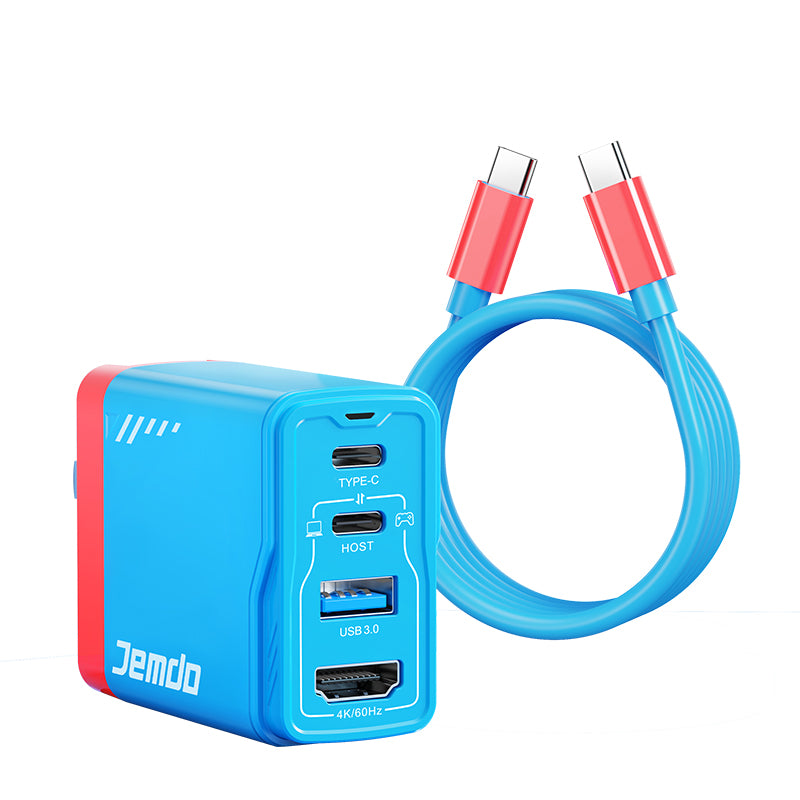
Jemdo Portable USB-C to HDMI Docking Station for Switch 2/OLED/NS & Steam Deck, Ultra-Slim TV Dock for USB-C Smartphones and Tablets
Three ports in one: a PD100w fast charging port, an HDMI interface, a USB3.0 interface;
High resolution video output: 4K, 1080P, and 720P video output are supported . Compatible with TVS, monitors, projectors and other devices with HDMI interfaces without additional drivers or software;
Ultra-high Speed data transfer: The USB3.0 port of this switching HDMI adapter provides high-speed and stable data transfer up to 5Gbps allowing you to connect game controllers, mice, keyboards and more.
Universal compatibility: This USB-C to HDMI adapter supports most TypeC3.0PD devices and above, This includes, but is not limited to, Switches, all i0S Macs/MacBooks with USB-C ports, iPad Pros with USB-C ports, smartphones/tablets with OTG capabilities, and most PCS with USB-C3.0 ports.
Compact and portable: With a pocket-sized and lightweight design (weight: 30g, 1.06oz), you can put it in your pocket or bag and take it anywhere you like to enjoy a Nintendo Switch game (1080P) at home or watch a 4K HD movie in TV mode. Or extend your Macbook powerpoint to a 4K HD display for great meetings.
To achieve screen casting function, please prepare an extra HDMI cable and follow these steps:
Connect the Type-C port of the docking station to the Type-C port on the bottom of the game console;
Connect the HDMI port of the docking station to your TV or display monitor;
Plug in a dedicated charger compatible with Nintendo Switch to supply power.
A stable power supply must be maintained throughout the entire screen casting process.
Important Notice: When using the HDMI cable with Nintendo Switch 2, screen casting function can only be activated by connecting the cable’s Type-C interface to the bottom charging port of the Switch 2 console.