Zu Produktinformationen springen
1 von 11

Jemdo Mall

Jemdo 4K USB-C to HDMI Cable for Switch/OLED

Jemdo 4K USB-C to HDMI Cable for Switch/OLED

2 Bewertungen insgesamt

Normaler Preis $32.99
Normaler Preis $19.79 Verkaufspreis $32.99
Sale Ausverkauft
size
Anzahl

šŸ’” 怐For Switch 2 Device Only怑The new firmware fully supports all NS21.0.0 and above versions, customers can buy with confidence.

āœ…ć€Firmware update怑https://support.jemdogame.com/Ā 

Jemdo Switch Conversion Cable for Nintendo Switch / OLED, 4K HD USB-C to HDMI Adapter Cable, TV & Projector Docking Cable, Travel Gaming Accessories

Key Features:

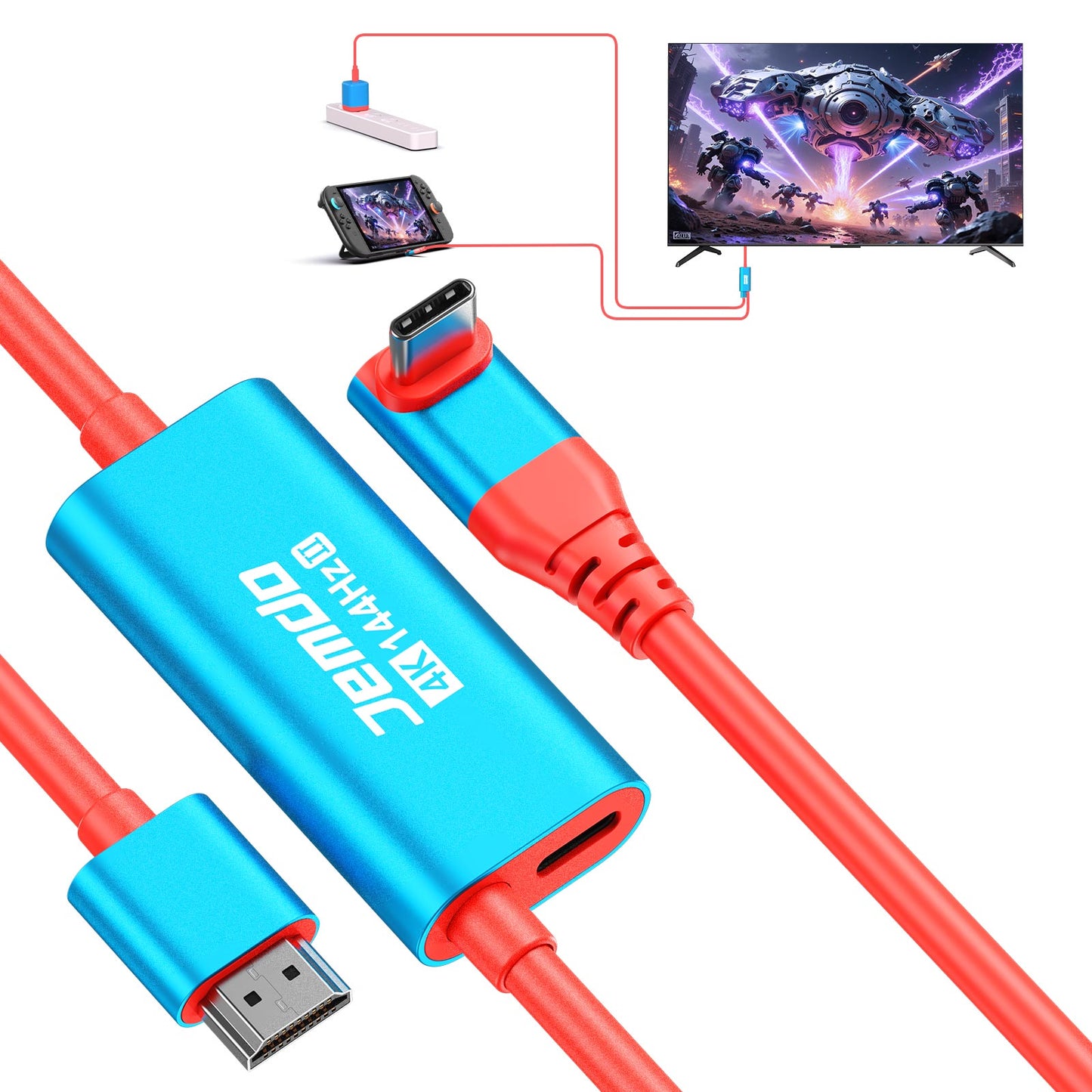
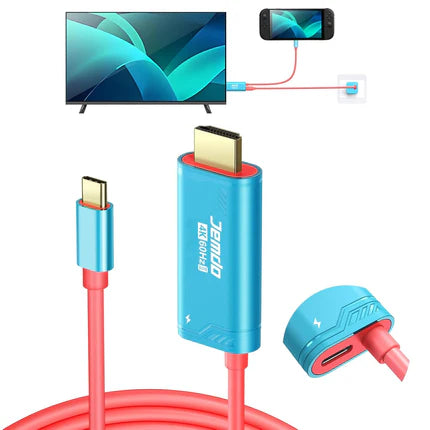
  • NEW UPGRADED: Combines HDMI, USB-C, and charging port in one cable, replacing the Switch dock and HDMI projection cable.
  • HIGH PERFORMANCE: Supports 4K high resolution and 30Hz/60Hz/144Hz refresh rate for optimal gaming experience.
  • 3 LAYERS SHIELDING: Reduces signal interference and ensures stable data transmission.
  • PLAY WHILE CHARGING: Supports 100W PD fast charging, allowing you to play while charging without damaging the Switch console.
  • BROAD COMPATIBILITY: Compatible with Nintendo Switch/OLED, Steam Deck, MacBook/MacBook Pro2017-2022, iPad Pro 2018-2021, iPad mini6, iPadAir4/5 10.9 inches, Samsung Galaxy S20/S20 Plus/S20 Ultra/S10/S10+/S10e/S9/S9 Plus/S8/S8Plus/Note 10/Note 9/Note 8, Huawei P30/P30 Pro/Mate 10/Mate 10 Pro/Mate20/Mate 20 Pro, Dell XPS 15/XPS 13, HP Envy 13, HP Specter x360, and more.
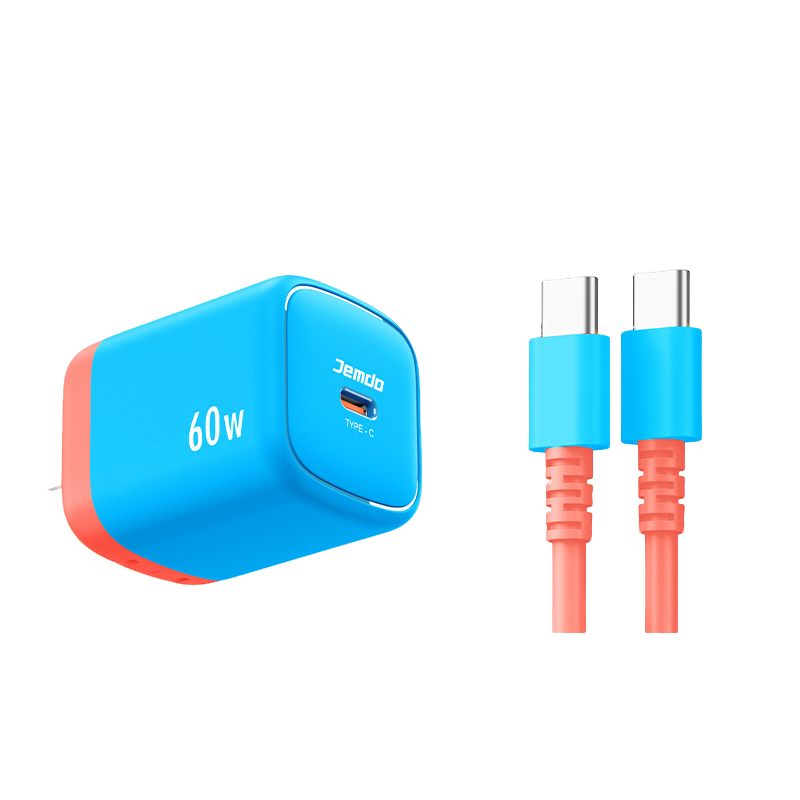
  • NOTE: Requires a charger for power supply to the USB-C charging port. Screen mirroring requires a 5V/2A power supply, while charging requires a 15V/2.6A power supply. Not compatible with Switch Lite.

Specifications:

  • Length: 2 meters
  • Interface: USB-C to HDMI
  • Resolution: 4K
  • Refresh Rate: 30Hz/60Hz
  • Shielding: 3 layers

Usage Note:

  • Ensure you have a charger for the USB-C charging port.
  • Screen mirroring requires a 5V/2A power supply, while charging requires a 15V/2.6A power supply.
  • Not compatible with Switch Lite.
Switch2 Screen Projection Tutorial:
  1. Connect the Type-C end of the cable to the charging port on the bottom of your Switch2.
  2. Plug the HDMI end into your TV/monitor’s HDMI port; adjust display settings if needed on some devices.
  3. Connect an authorized Switch2 charger to the cable’s PD fast-charging port (power supply is required for projection).
  4. Once set up, a black Switch2 screen indicates successful projection. If the screen stays on, check all connections.
  5. Contact our online support if projection fails.

Ā 

Contact Us:

For any questions about the product, please click Contact Us in the lower left corner.


  • Does it support HDR and advanced display features?

    Yes. It supports HDR10, G-Sync, and FreeSync when used with compatible devices, delivering rich colors, deep contrast, and tear-free visuals. (For better visual quality, reach out to get the latest firmware.)

  • What makes the 4K@144Hz output ideal for gaming?

    The high refresh rate ensures ultra-smooth visuals, reduces motion blur, and improves reaction time—perfect for FPS, racing, and eSports gaming on compatible monitors.

  • Can I charge my device while using it for display?

    Yes. The built-in PD100W fast-charging port allows you to charge your device while casting to an external screen—ideal for long gaming or work sessions without power loss.

  • How is this better than a traditional Switch dock?

    Compared to bulky docks, this cable offers a compact and portable all-in-one solution with video output + power charging, perfect for travel, on-the-go gaming, and avoiding overheating issues often seen in third-party docks.

  • Is it compatible with all USB-C devices?

    It supports most USB-C devices with DisplayPort Alt Mode, including Switch/Switch OLED/Switch 2, Steam Deck, MacBook Pro, iPad Pro, and Samsung Galaxy S series. Not compatible with USB-C phones or tablets lacking video output.

VollstƤndige Details anzeigen